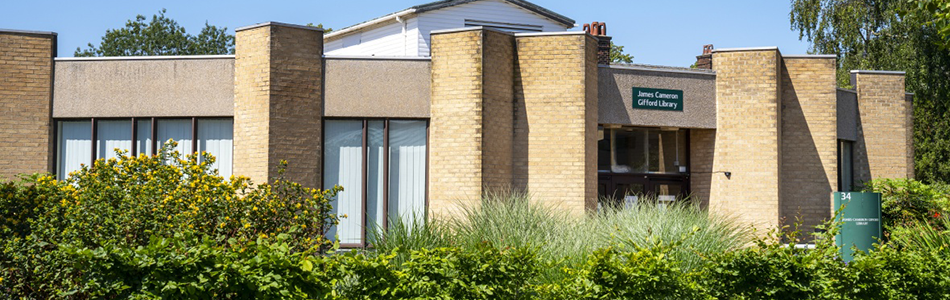
James Cameron-Gifford Library
Welcome to James Cameron-Gifford Library - supporting the School of Veterinary Medicine and Science, and the School of Biosciences.
Library updates | Opening times | Visiting the library | What's available? | Access | Help
Library updates
- Description
- Everything you need to know about 24/7 library opening dates and preparing for vacation.
- Date:
- 24 February 2026
- Description
- Do you have a support plan? Book a tour of the dedicated study spaces and equipment available in libraries to support your studies.
- Date:
- 21 November 2025
- Description
- Three of our libraries will open 24-hours at key times during the 25-26 academic year.
- Date:
- 13 October 2025
Contact the Library Helpline via phone, email or Live Chat. Check our library status page
Back to the top
Opening times
The A Floor silent study space and the B Floor computer rooms are available 24/7 all-year round. When the library is closed, these spaces can be accessed via the Main Building using your University Card.
Extended opening hours (until 4 June)
| Day | Library | Help desk |
|---|
| Monday - Friday |
24-hours
Friday 3 April: Closed
|
8am - 9.45pm |
| Saturday |
24-hours
Saturday 4 April: Closed
|
9am - 4.45pm |
| Sunday |
24-hours
Sunday 5 April: Closed
|
9.30am - 4.45pm |
Back to the top
James Cameron-Gifford Library
Sutton Bonington Campus
Loughborough
Leicestershire
LE12 5RD
- You will need your University Card to borrow books, print and for access after 10pm (during extended hours). What if I forget my card?
- Visitor access is permitted during help desk hours only.
- Hot food should be eaten in the cafe area of the library only.
- Please don't leave your belongings unattended, keep them with you at all times.
- Smoking and vaping is prohibited in all university buildings, including libraries.
- University policy prohibits bicycles and scooters being brought into all buildings, including libraries.
- We ask all users to follow the Code of Practice for use of library facilities and services (PDF)
Take a look inside
Back to the top
What's available in the library?
Facilities and study space
Browse the library and book locations using the interactive map.
The following services are available in the library:
- 24/7 silent study room - this library space can be accessed outside library opening hours via the Main Building. You will need your University Card for access.
- Assistive Technology Room - these rooms can be booked by students eligible for Enhanced Library Support
- Assistive Equipment loans - specialist equipment for students eligible for Enhanced Library Support, including ergonomic keyboards and mice, ear defenders, dimmable lamps and more.
- Book returns box - return books to the book box outside when the library is closed
- Click and Collect - request books on NUsearch and collect them from the table next to Self-Service
- Games zone - puzzles, games and crafts for you to take a break on your own or with friends
- Headphones - available to borrow for up to three hours. Please ask Library staff.
- Help desk - Library staff wearing blue lanyards are available to help with any queries
- Kitchenette - with vending machines, sink and cold and hot taps
- Laptop loans - for up to 24 hours, please ask Library staff - make sure to login to laptops before taking them off-campus
- Leisure reading - selection of leisure reading titles for you to read in the library or borrow
- Print, copy and scan
- Self-service machines - use your University Card to borrow and return books
- Study spaces - individual desks and PCs plus spaces for group study
- Toilets
Nearby facilities
- 24/7 computer room - available in the Main Building. You will need your University Card for access.
- Cafe and shop - next to The Barn
- Prayer rooms - The nearest Prayer rooms can be found in The Barn. Visit the Chaplaincy website for more information.
James Cameron-Gifford Library is home to subject resources for the School of Veterinary Medicine and Science and the School of Bioscience as well as titles from our leisure reading collection.
You can search our collections using the library discovery tool, NUsearch.
Not sure where to start? Take a look at our subject guides to discover the key resources for your subject area including books, journals, databases and more.
Discover our collections
You will need your University Card for access to the 24/7 study spaces and for access to the library after 10pm (during extended hours).
Find information about visiting the library on AccessAble
James Cameron-Gifford Library has:
- door access via level front door
- library has two floors, lift available
- accessible unisex WC nearby
- low level service point
- parking for blue badge holders in the Main Building car park
- Hearing Loop situated at reception desk
Access plans showing emergency exits and refuges:
Assistive Equipment Loans
Assistive equipment refers to devices designed to help you perform certain activities if you have a disability, restricted mobility or other impairment. The following equipment is available for students with a disability support plan to borrow from libraries:
- Backlit large print keyboards with wrist rests
- Ergonomic split keyboards with vertical mouse (QWERTY)
- Ear defenders
- Wired headphones with mic
- Magnifying glass with lamp
- Left-handed vertical mouse
- Standard ergonomic vertical mouse
- Trackball mouse
- Large black letters on yellow keys keyboard
Borrowing equipment
Assistive equipment can be borrowed from the lending desk of the library, simply ask a member of staff for the item you want to borrow. Equipment can be borrowed for up to 3 hours per session.
Locations
This equipment is available on each campus at the following libraries:
Back to the top
Help and support
Contact Library staff
- Library staff (wearing blue lanyards) will be happy to answer any questions about our libraries.
- Email James Cameron-Gifford at enquiries-jcg@nottingham.ac.uk
- For general library queries, please contact the Library Helpline by email, phone or Live Chat.
Too noisy?
If you are finding it difficult to study because of noise disruption, please let Library staff know.
You can message the library on WhatsApp at 07766 993539.
Health and wellbeing
A Healthy U wellbeing notice board is available in the library. This includes information about support services at the university.
Report and supportGuide to wellbeing support at the university (PDF)
Back to the top